Canva is officially ‘an AI platform with design tools’
 Business Economic Syndicated News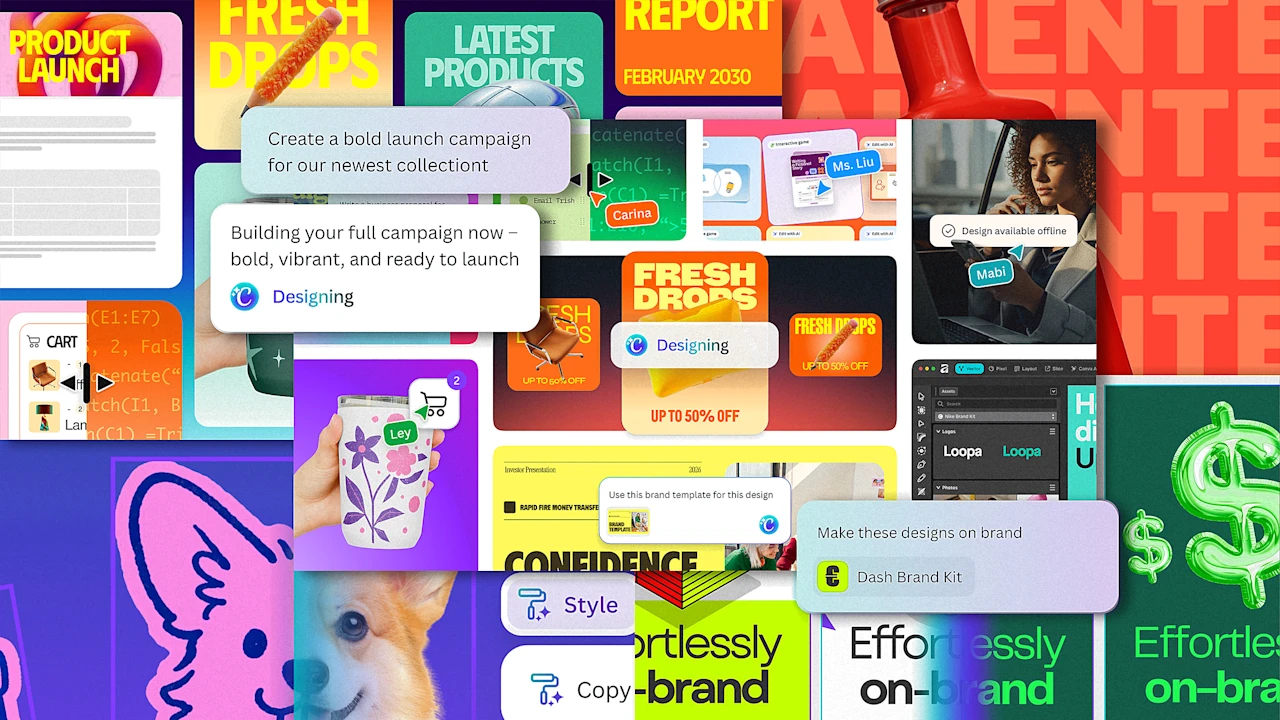
Canva built its 265-million-person audience by being the easy-to-use, template-friendly design tool for everyone. And when generative AI arrived, it quickly integrated the technology.
Now, Canva is amongst the leading spenders on compute from platforms like ChatGPT, it’s building its own models and acquiring its own AI companies, and it’s launching even more AI design features as part of its Canva AI 2.0 release that it’s announcing today.
But the headline marks a deeper, philosophical shift within Canva: From being “a design platform with AI tools” to becoming an “AI platform with design tools.”
Connecting with Canva’s CEO, Mel Perkins, I asked about the motivation behind this repositioning. In this age of AI, much of the industry has been discussing what you could call either a flattening or a war between the roles of designers, product managers, and engineers. Was Canva responding to this trend?
In response, Perkins pulls up an old idea from 2011 called Canvas Chef, which looks a lot like the Google Search page but with wood paneling and some kitchen kitsch.
“From the very early stages, we always believed that you could just be able to type in whatever you want and kind of get kickstarted straight away,” she says. “Obviously, it has been a very long journey to get to this point in time, but really, that is actually what we’re launching today.”
Canva AI 2.0 looks like Perkins’s 15-year-old vision, and also the Canva you already know. The real difference now is that Canva’s existing AI tab—which is pretty much a search bar—has been supercharged with more capabilities.
A big upgrade is around connecting services. You can now link Google Drive, Gmail, Slack, Zoom, and Notion—plus it’ll crawl for an answer on the web, or even search your old Canva projects—allowing Canva to bring in relevant information that I imagine will be particularly valuable to marketers.
Whereas you used to be able to create a somewhat generic deck from a prompt, now you can infuse that deck with data that’s lurking in your emails or spreadsheets. Other upgrades allow you to do a lot more when AI-editing that deck. Formerly, it was a one-shot, generate-the-whole-thing-for-me ask. Now, you can actually edit individual slides with AI prompts instead of starting over. Similar capabilities exist for brand templates. Before, if you didn’t start a project with your brand standards, you couldn’t always update them retroactively. Now, AI will transform any design you throw at it to be more on-brand.
And of course, Canva will develop interactive projects, too, which publish straight to the web.
“When we launched Canva, the huge innovation was we went from pixel editing, where you had to very deeply know the tools, to object editing, where you could just lay things out,” says Perkins. “And now with Canva AI 2.0 we’re actually moving into concept editing, where you can put in a concept it can then assemble it for you on the fly.”
That said, Canva isn’t removing any of the physical tools people are used to. For this big update and grand repositioning, Canva’s vibe is largely unchanged. The more radical updates live under the hood, developed by Canva’s 100+ person AI research team.
Multi-agents made invisible
Behind the scenes, Canva provides this upgraded AI toolset by offering AI agents to its users—but those users never actually see them. I’m told that Canva’s own AI layer sits between its app and the external AI services it queries, juggling a complicated, multi-agent workflow that the Valley’s top coders are addicted to, without ever asking the user to think about more than one AI question at once. Perkins says this is what allows complicated tasks, that might need to remove the background of an image and generate copy and apply brand standards at the same time.
As the capabilities stack up, I wonder if Canva’s subscription prices can offer people the amount of AI processing they’ll need to take advantage of the service. Canva is ahead of this issue, as it’s introducing a special AI Pass that, for $100/mo, offers Pro users 40x more AI and Business users 20x more AI.
Despite Canva’s aggressive incorporation of AI, I still can’t help but wonder if it’s being experimental enough, as AI feels poised to melt the boundaries of media as we know them. Canva is excellent at reducing the friction around creating things, but it’s not all that deep for experimentation or exploration. And it’s not challenging the status quo of the prompt.
CJ Jones, head of GenAI design at Canva, says the company is rolling out the AI features that its users are asking for. And the fact is that, today, a lot of their users aren’t graphic design professionals who are artists with a mouse. Instead, most people are using AI to remove backgrounds in images and translate text to English (as many users are not native English speakers).
Even still, Jones insists that Canva is thinking more experimentally in the larger term, taking a patient, car company approach to redesigning its own software over time.
“Part of our product development process is looking at two years from now, five years from now, 10 years from now, and what we’ll do from there is [consider] this might be a really wild idea that completely redesigns Canva,” says Jones. “But we have to keep in mind our base right now…How easy is it to move them from where we are today to that? And so what we’ll do is look at the core of that vision, and how we want to bring that [to the product].”
Canva AI 2.0 launches today in a preview to Pro and Business customers.